Synchronous vs Asynchronous JavaScript: A Tale of Two Timelines
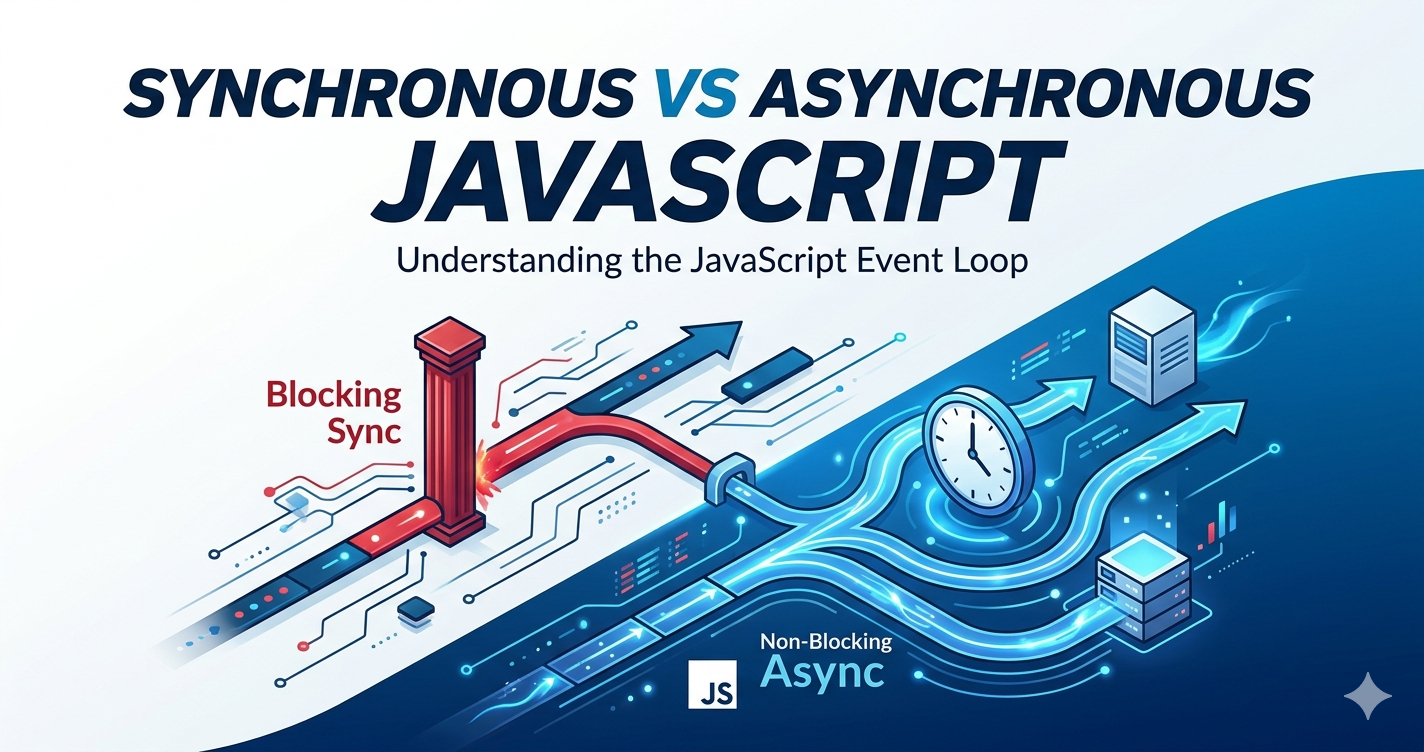
JavaScript is single-threaded. This means it can only execute one task at a time, one line of code at a time, sequentially. Understanding how to manage this single-threaded nature is the key to writing efficient and responsive applications. In this article, we will compare the two main executions paradigms: Synchronous (Sync) and Asynchronous (Async).
What is Synchronous Code?
Synchronous JavaScript executes in strictly order. Every line of code must finish running completely before the next line begins. It's predictable, straightforward, and easy to trace, like following a recipe step-by-step.
We can think of this as a single, sequential timeline.
Example 1: Sequential Execution
console.log("Step 1: Get ingredients.");
console.log("Step 2: Mix batter.");
console.log("Step 3: Bake cake.");
// Output:
// Step 1: Get ingredients.
// Step 2: Mix batter.
// Step 3: Bake cake.
In this example, Step 2 cannot begin until Step 1 is finished, and Step 3 must wait for Step 2. This is definition of sequential execution in a synchronous flow.
The Problem: Blocking Code
Now imagine Step 2 isn't mixing better, imagine Step 2 is fetching a large image from a slow server. In a strictly synchronous model, the entire program would halt (back) and wait. Until that image finishes downloading, Step 2 cannot run, the UI will freeze, and the user cannot interact with the page.
We visualize the blocking behavior below. The long "Network Request" completely halts the sequential timeline.
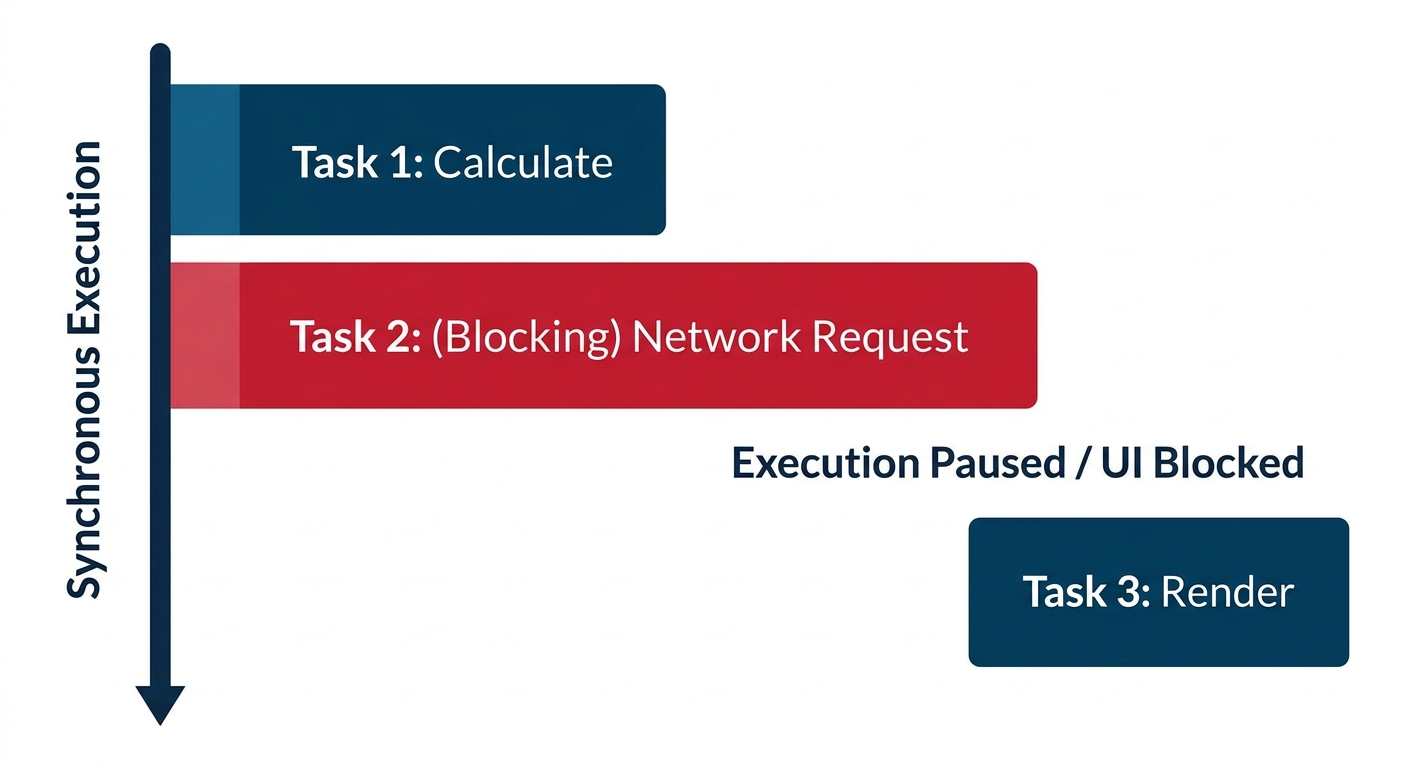
Figure 1: Synchronous execution: The entire process is paused (blocked) while Task 2 (a network request) completes.
Why JavaScript Needs Asynchronous Behavior
The blocking behavior is unacceptable in modern web-development. Users expect smooth scrolling, responsive buttons, and seamless animations, even while data is being fetched in the background.
Since JavaScript only has one thread, it cannot multi-task by running two pieces of code simultaneously. Instead, it must handle long-running tasks asynchronously.
Asynchronous behavior allows JavaScript to offload a long-running task to the browser (the environment) and immediately move on to the next line of code. When the offloaded task is finally complete the browser alerts JavaScript, which runs a corresponding "callback" function to handle the result.
This is the definition of non-blocking code.
How Asynchronous JavaScript Works
Asynchronous operation don't run on the main JavaScript thread. They are handled by the browser's Web API's like (like fetch(), setTimeout or DOM events).
When you call an asynchronous function:
JavaScript registers the task with the browser (e.g., "Tell me when this API call finishes").
JavaScript immediately continues executing the next line of code. The main thread is never blocked.
When the browser finishes the task, it places the callback function into a Task Queue.
The Event Loop constantly checks: Is the main thread (Call Stack) empty?. If yes, it pushes the first callback from the Task Queue onto the stack to be executed.
Let's visualize this flow using the concept of the Task Queue.
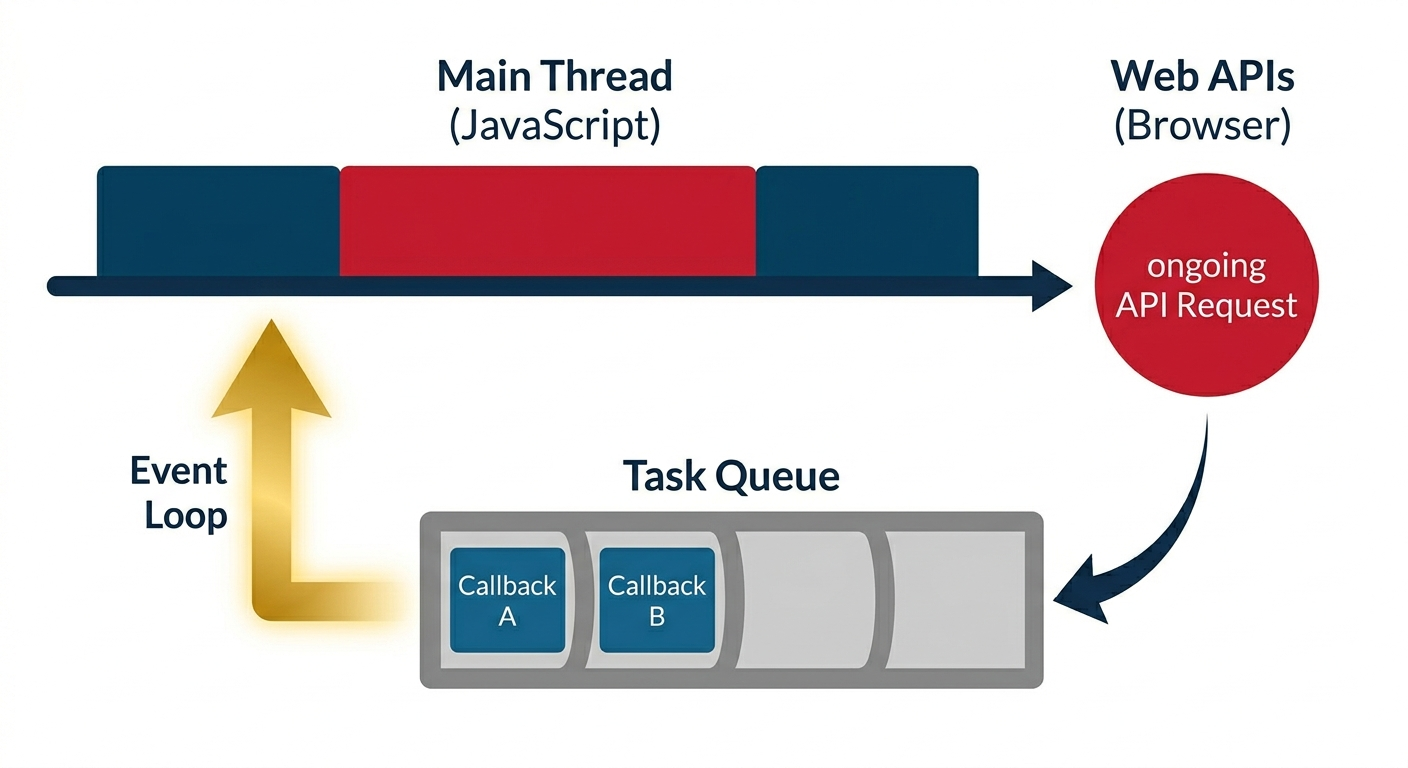
Figure 2: Asynchronous flow: The Main Thread offloads a request to the browser's APIs. While the request runs (red circle), the Main Thread continues. Finished tasks queue up (right) and are processed sequentially when the thread is free.
Asynchronous Examples
The most common asynchronous examples involve waiting for external resources or a set amount of time.
1. Timers (setTimeout)
setTimeout is the simplest way to see asynchronous behavior. It schedules a function to run after a minimum delay (in milliseconds).
console.log("A: Start");

// This is an ASYNCHRONOUS task.
setTimeout(() => {
  console.log("B: Timer finished (2 seconds later)");
}, 2000); // 2000 milliseconds delay

console.log("C: End");

// Output:
// A: Start
// C: End
// (2 second pause)
// B: Timer finished (2 seconds later)
Intuitive Explanation: JavaScript runs "A", then tells the browser: "Start a 2-second timer; when it's done, run this specific function." JavaScript immediately moves on to run "C". The program doesn't "freeze" for two seconds; the UI remains responsive. After 2 seconds, the browser places the setTimeout callback into the queue, and the event loop executes it ("B").
2. Network Requests (API Calls)
When a web application needs data from a database (like loading a user profile or a product list), it makes a network request. This is the most critical use case for asynchronous JavaScript.
Using fetch() (the modern replacement for XMLHttpRequest), we can request data from an API:
console.log("1: Requesting user data...");

// This is an ASYNCHRONOUS network request.
fetch('https://api.example.com/user/1')
  .then(response => response.json()) // Run this when data arrives
  .then(userData => {
    console.log("3: Data received:", userData.name);
  })
  .catch(error => {
    console.error("Error:", error);
  });

console.log("2: Main execution continues!");
// Output:
// 1: Requesting user data...
// 2: Main execution continues!
// (A short network delay)
// 3: Data received: Alice
Explanation: JavaScript prints "1". It initiates the fetch request. Crucially, it does not wait for the server to reply. It immediately executes "2". The page remains alive and responsive. When the server response finally arrives (perhaps 500ms later), the .then() callback is added to the task queue, and "3" is printed.
Conclusion
Understanding the difference between synchronous and asynchronous code is fundamental to modern JavaScript. Synchronous code is straightforward but can trivialize performance when facing slow operations. Asynchronous JavaScript, powered by the Event Loop and Task Queue, enables us to build highly responsive, non-blocking applications that seamlessly handle complex tasks like fetching data from remote servers without degrading the user experience.


