Map and Set in JavaScript
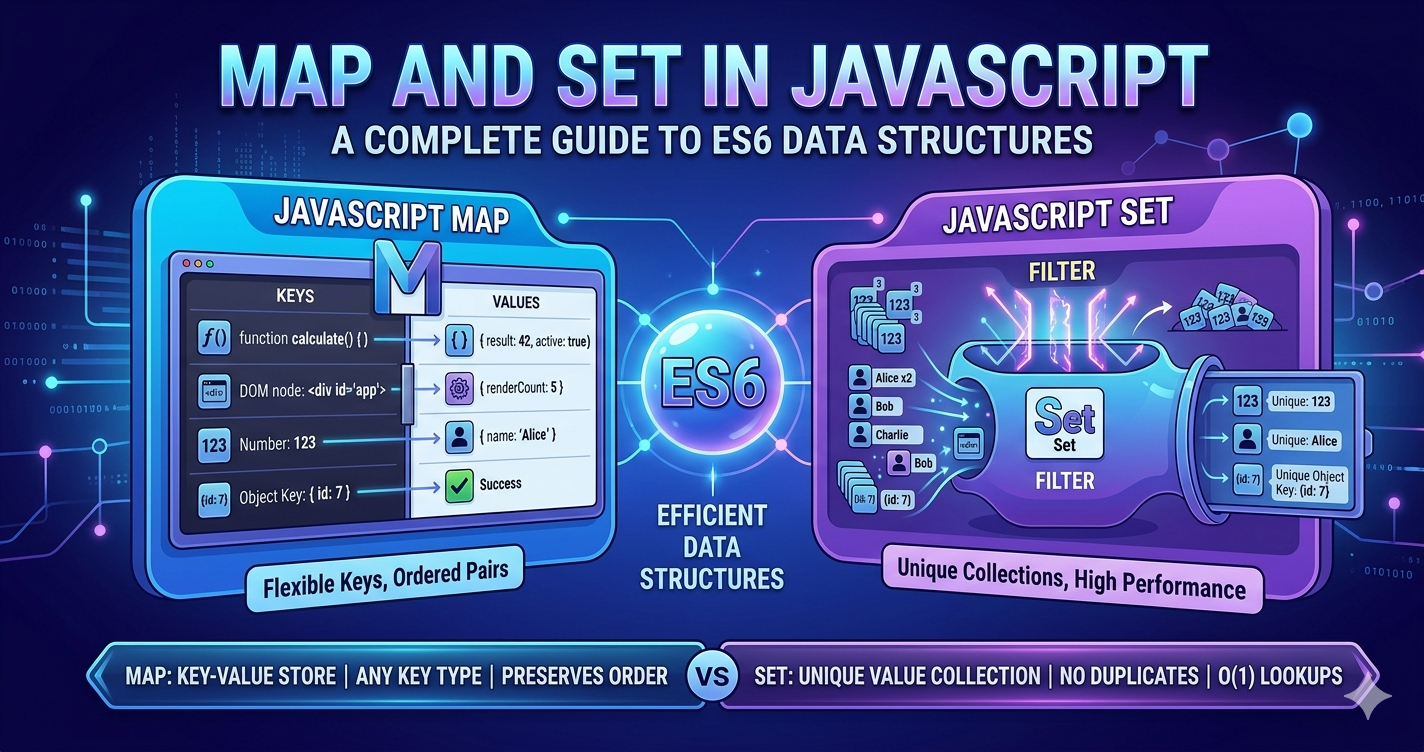
In the early days of JavaScript, we relied almost exclusively on Objects for key-value storage and Array for lists. While they got the job done, they came with "quirks"—like objects only supporting string keys or arrays allowing duplicate values when you didn't want them.
ES6 introduced Map and Set to solve these specific points. Here is a breakdown of how they work and when to switch from the "traditional" ways.
1. What is a Map?
A Map is a collection of keyed data items, similar to an Object. However, the primary difference is that a Map allows keys of any type—including functions, objects and primitives.
Map vs. Object: The Key Differences
While objects are often used as maps, they have significant limitations:
| Feature | Object | Map |
|---|---|---|
| Key Types | Strings and Symbols only. | Any type (Objects, Functions, etc.). |
| Order | Not reliably ordered (historically). | Preserves insertion order. |
| Size | Must be tracked manually. | Has a .size property. |
| Performance | Better for small, static data. | Optimized for frequent additions/removals. |
The Problem with Objects: If you try to use an object as key in another object, it stringifies it to "[object Object]" , effectively breaking the link. A Map keeps the reference intact.

1. What is a Set?
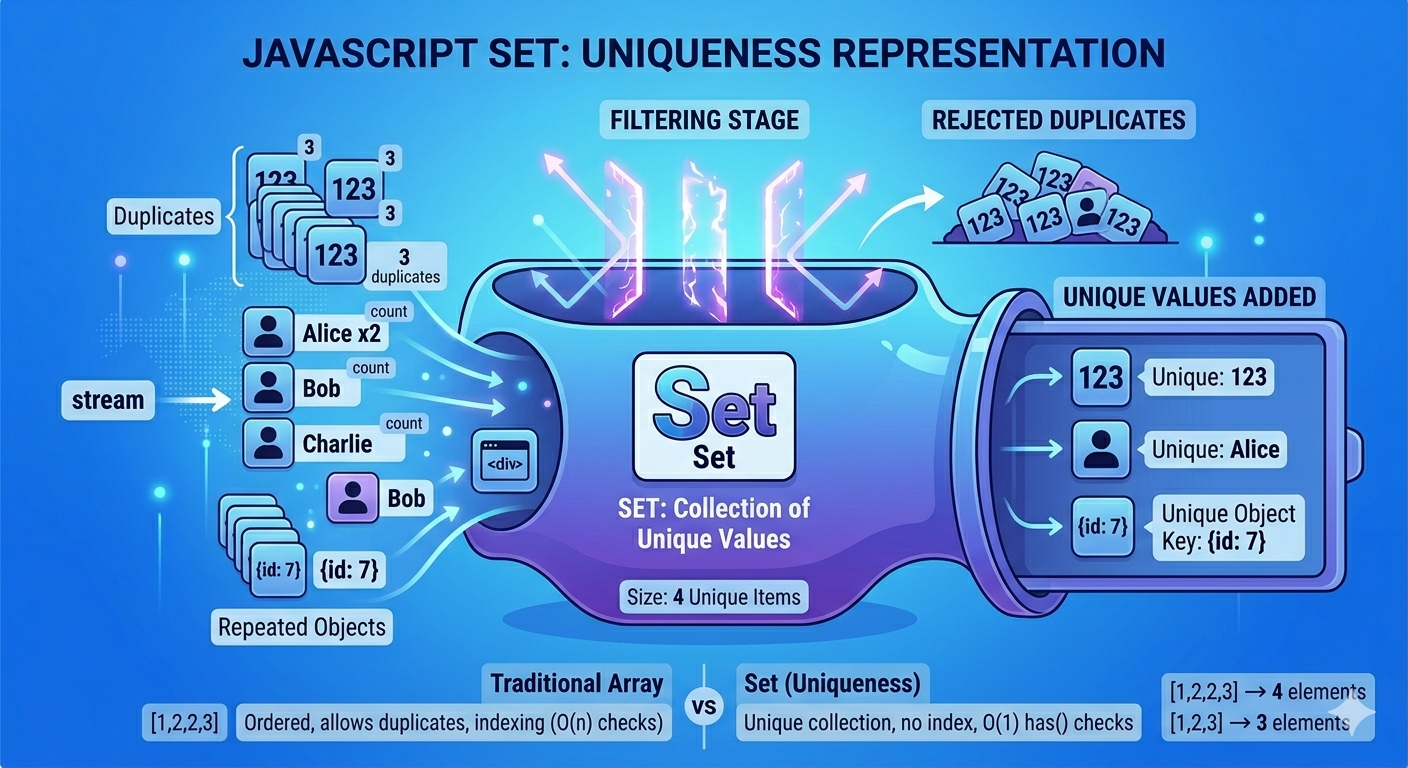
A Set is a collection of values where each value must be unique. Unlike an array, a Set does not use indexes; it's a "set" in the mathematical sense.
Set vs. Array: The Power of Uniqueness
Arrays are great for ordered lists, but they struggle with uniqueness. If you want to ensure an array has no duplicates, you usually have to write a filter function or loop through it.
The Uniqueness Property: A Set automatically handles duplicates for you. If you try to add a value that already exists, the Set simply ignores it.
const mySet = new Set();
mySet.add(1);
mySet.add(1); // Ignored
console.log(mySet.size); // 1
The Problem with Arrays: Checking if an item exists in a large array using .indexOf() or .includes() is an O(n) (it has to check every element). In a Set, this check is O(1), making it significantly faster for large datasets.
3. When to Use Map and Set
Use a Map when:
You need non-string keys: If you want to associate data with a DOM element or a function.
Order matters: When you need to iterate through elements in the exact order they were added.
Frequent updates: Maps are generally more performant for constant adding and deleting of entries.
Use a Set when:
You need to stay unique: For example, storing a list of unique User IDs or tags.
High-performance searching: When you need to constantly check "Is this item in the collection?" using
.has().Quick Array de-duplication: You can turn an array into a set and back again to instantly remove duplicates:
[...new Set(myArray)]
Summary Table
| Collection | Use Case | Best Feature |
|---|---|---|
| Object | Simple data structures / JSON. | Familiarity and JSON support. |
| Array | Ordered lists where duplicates are okay. | Indexed access and rich methods (map, filter). |
| Map | Advanced key-value storage. | Flexibility of key types. |
| Set | Collections of unique items. | Automatic de-duplication and speed. |


