JWT Authentication in Node.js Explained Simply
Authentication is the digital equivalent of a security checking IDs at a club. Without it, a server has no way of knowing if the person requesting private data is the owner or a random stranger.
In modern web development, JSON Web Token (JWT) have become the industry standard for handling this process securely and efficiently.
Why Authentication is Required
Imagine using a social media app where you have to type your username and password every time you want to "Like" a post or view your profile. That would be exhausting.
Authentication allows the server to:
Identify who are you.
Remember you for the duration of your session.
Authorize specific actions (e.g., only you can delete your own posts).
What is JWT?
A JSON Web Token (JWT) is a compact, URL safe way of representing claims between two parties.
Traditionally, servers uses "Session IDs". The server would store a file or a database entry for every logged-in user. However, as apps grow to million of users, storing all those sessions becomes expensive and slow.
JWT uses Stateless Authentication. Instead of the server remembering you, the server gives you a signed token. You carry this token like a digital badge. Every time you make a request, you show the badge. The server doesn't need to check a database; it just looks at the badge. The server doesn't need to check a database; it just looks at the badge, verifies the signature, and lets you in.
Structure of a JWT
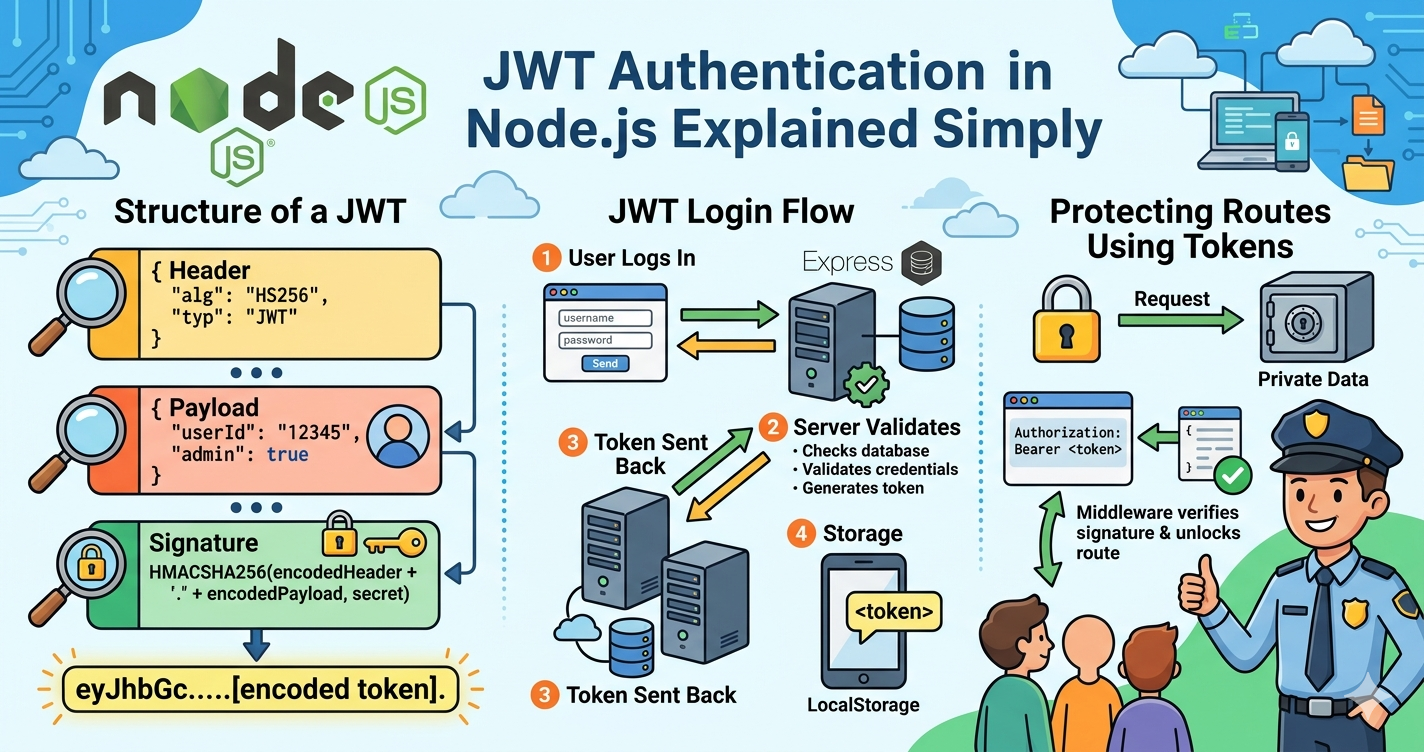
A JWT consists of three parts separated by dots (.); header.payload.signature.
Header
The header typically consists of two parts; the type of the token (JWT) and the signing algorithm being used (such as HMAC SHA256 or RSA).
- Example:
{"alg": "HS256", "typ": "JWT"}
Payload
This is the heart of the token. It contains "claims", which are statements about user (like their User ID or name) and any additional data.
- Example:
{"userId": "12345", "admin": true}
Signature
The signature is used to verify that the sender of the JWT is who it says it is and to ensure that message wasn't changed along the way. It is created by taking the encoded header, the encoded payload, and a secret key known only to the server.
The JWT Login Flow
The process of using JWT follows a simple, logical cycle:
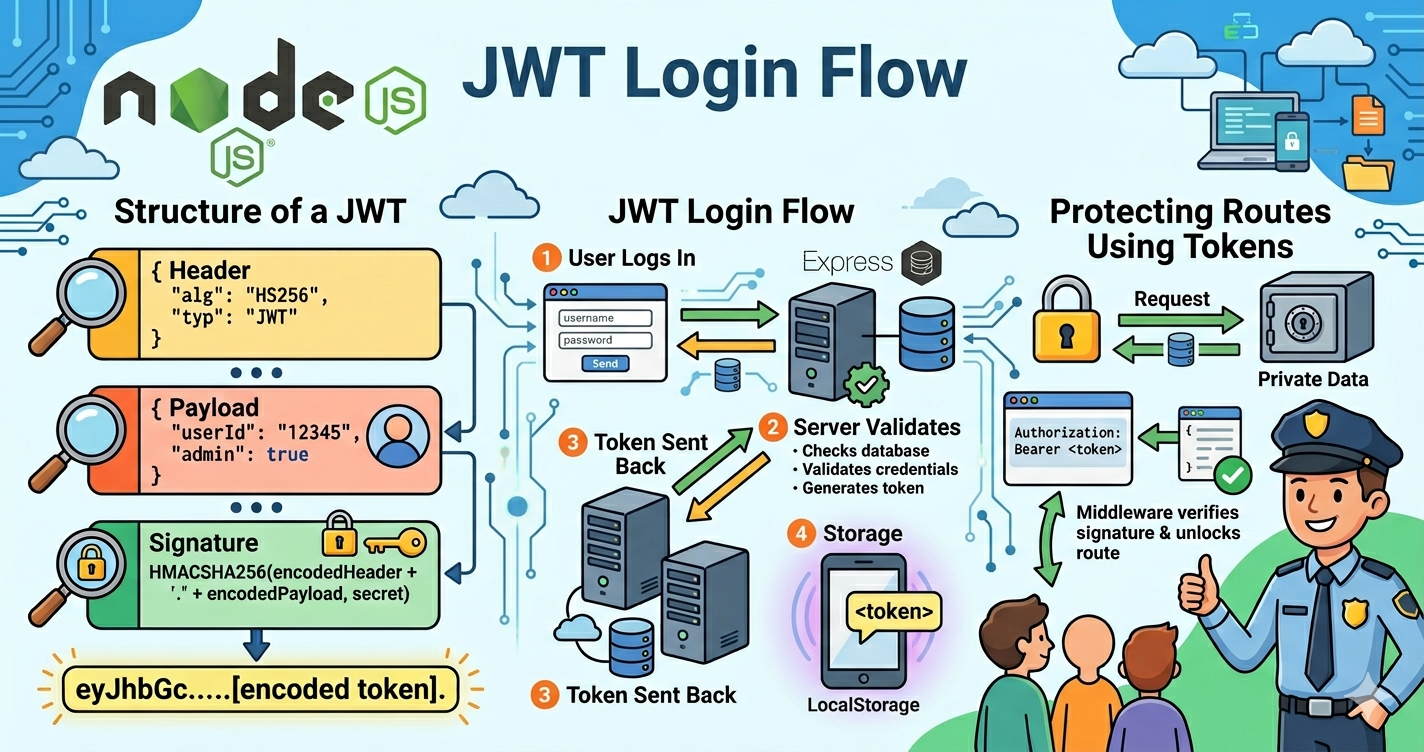
User Logs In: The user sends their credentials (username/password) to the server.
Server Validates: The server checks the database. If the credentials are correct, it creates a JWT using a Secret Key.
Token Sent Back: The server sends this JWT back to the browse/app.
Storage: The client saves the token (usually in LocalStorage or a Cookie).
Sending Tokens with Requests
Once the client has the token, it must "prove" its identity for every subsequent request (like fetching a dashboard or posting a comment).
The standard way to do this is by including the token in the Authorization Header: Authorization: Bearer <your_bearer_token_here>
By sending it in the header, the server can intercept the request, read the token, and decide whether to proceed.
Protecting Routes Using Tokens
In a Node.js/Express environment, we protect routes using Middleware.
The Interceptor: Before the request reaches the "Private Data" logic, a middleware function grabs the token from the header.
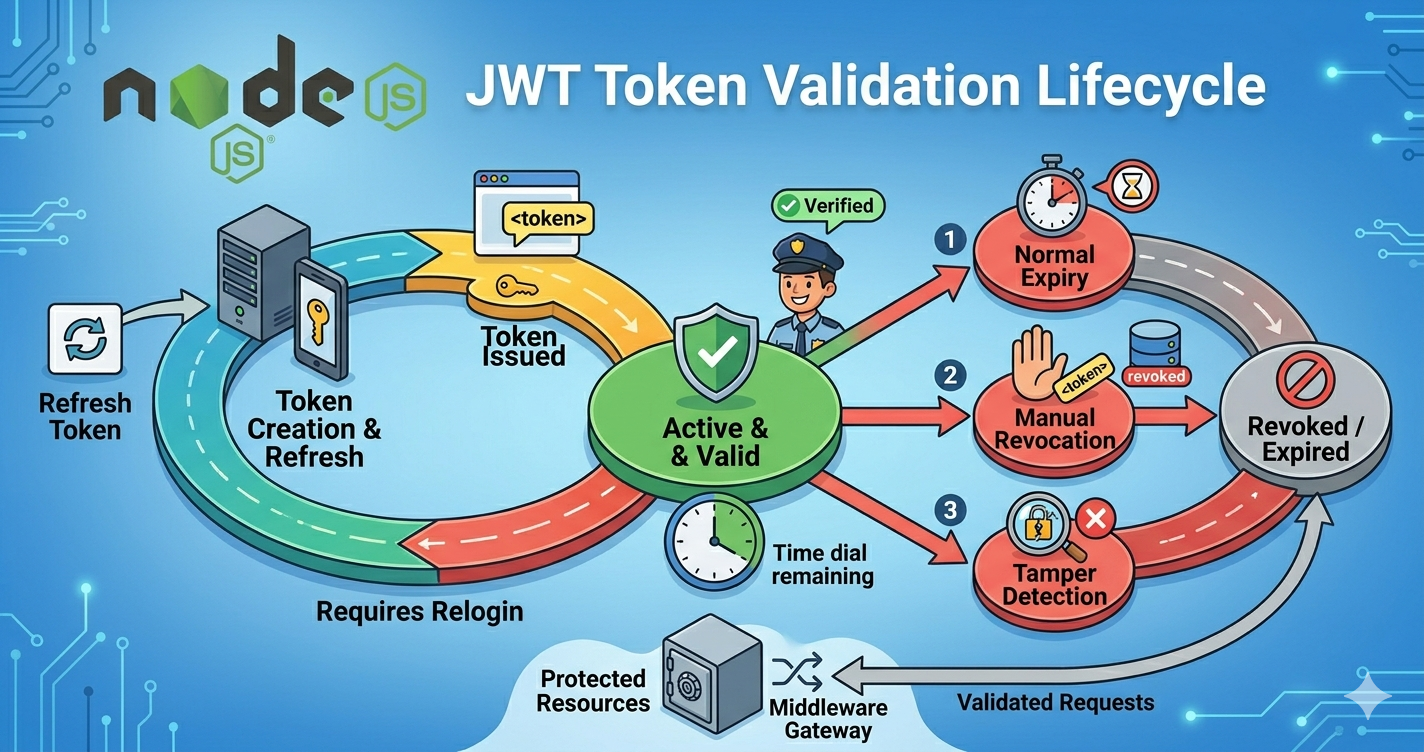
Verification: The server uses its Secret Key to verify the signature.
If the signature matches: The request is "authenticated" and allowed through.
If the token is expired or tampered with: The server sends a
401 Unauthorizederror.
Summary
JWTs make your application scalable by removing the need for the server to "remember" every user in its RAM. By using a secure signature, the server can trust the data inside the token without having to double-check the database for every single click the user makes.